Ergonomic Workplace Solutions in India | Workplace Adjustments
Support That Moves With You - Explore Our Ergonomic Chairs
Upgrade to Ergonomic Furniture
Your Body Will Thank You
Ergonomics isn’t a Luxury - it’s Essential
Workplace Adjustments is India’s premier online destination for ergonomic chairs and tables designed to support your health and productivity. Engineered to the highest ergonomic standards, our furniture is ideal for those who spend long hours seated—whether at work or home.
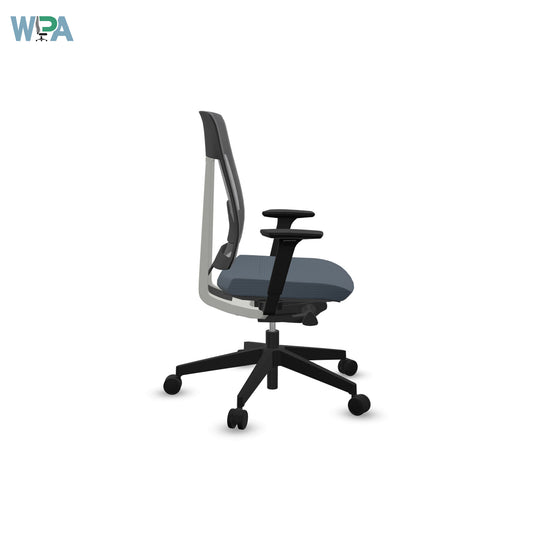
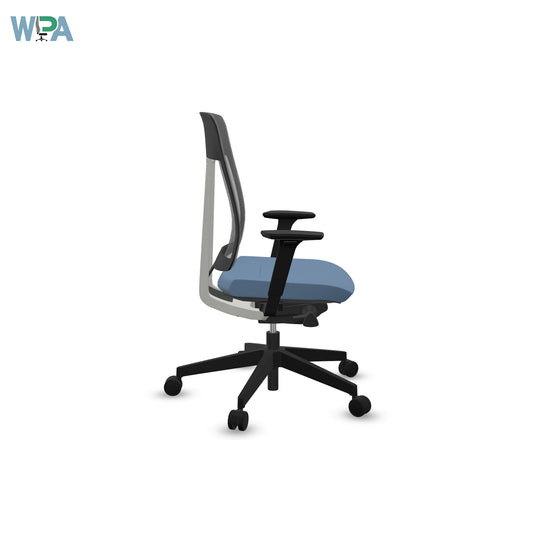
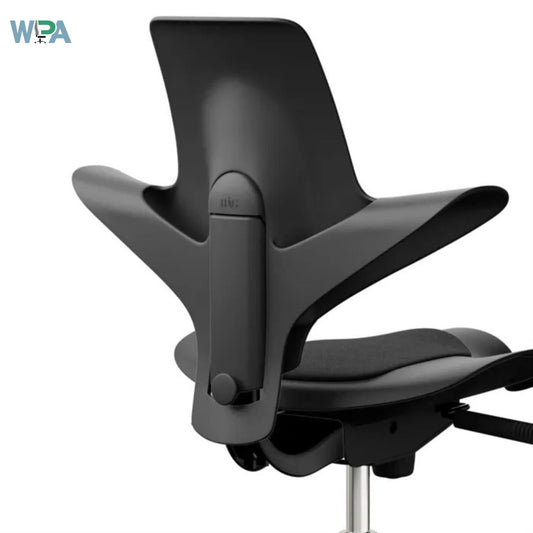
Every ergonomic chair is crafted with adjustable features, comfortable armrests, and specialised attachments to ensure it adapts to your posture—not the other way around. All our chairs promote the forward rotation of the pelvis, helping to encourage the users spine in to the S position and support good back health.
Watch a Video on Importance of Workstation Ergonomics
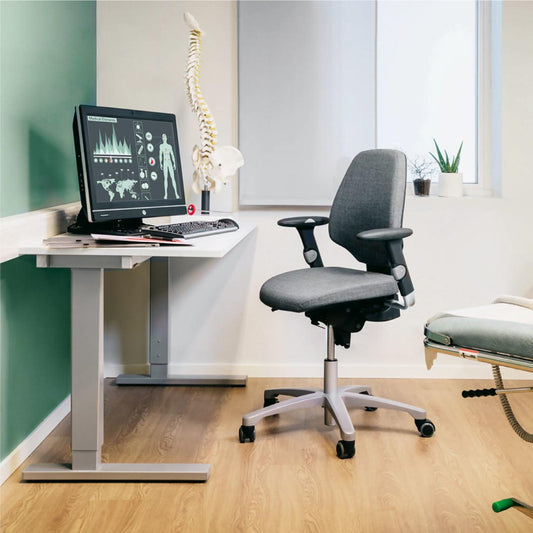
Your Dining Chair isn’t an Office Chair. Your Spine knows it.
Picture yourself in the ultimate ergonomic chair, where every task becomes a breeze and your back remains perfectly supported, no matter how long you work.
Blog posts
View all-
How Virtual Ergonomics Helped a UK-India Team C...
Poor ergonomics hindered virtual collaboration between a UK-India tech team, causing pain and fatigue. Virtual ergonomic assessments and tailored equipment—like ergonomic chairs, sit-stand desks, and mice—boosted comfort, morale, and productivity.
How Virtual Ergonomics Helped a UK-India Team C...
Poor ergonomics hindered virtual collaboration between a UK-India tech team, causing pain and fatigue. Virtual ergonomic assessments and tailored equipment—like ergonomic chairs, sit-stand desks, and mice—boosted comfort, morale, and productivity.
-
Troubleshooting Common Workstation Complaints
Workstation discomfort-from back pain to eye strain—is common in Indian offices and impacts productivity. Addressing these issues with ergonomic chairs, desks, tools, and proper setup reduces injuries, boosts wellbeing, and...
Troubleshooting Common Workstation Complaints
Workstation discomfort-from back pain to eye strain—is common in Indian offices and impacts productivity. Addressing these issues with ergonomic chairs, desks, tools, and proper setup reduces injuries, boosts wellbeing, and...
-
GDPR & Workplace Adjustments in India: What UK ...
UK employers working with Indian partners must ensure GDPR compliance when handling workplace adjustment data like medical or ergonomic reports. With India’s DPDPA coming, aligning early is key. Clear data...
GDPR & Workplace Adjustments in India: What UK ...
UK employers working with Indian partners must ensure GDPR compliance when handling workplace adjustment data like medical or ergonomic reports. With India’s DPDPA coming, aligning early is key. Clear data...
-
Common Workstation Challenges Faced by Indian E...
Many Indian offices suffer from poor ergonomics, causing back pain, eye strain, and repetitive injuries. Key solutions include ergonomic chairs, sit-stand desks, proper screen setup, and healthier work habits-boosting comfort,...
Common Workstation Challenges Faced by Indian E...
Many Indian offices suffer from poor ergonomics, causing back pain, eye strain, and repetitive injuries. Key solutions include ergonomic chairs, sit-stand desks, proper screen setup, and healthier work habits-boosting comfort,...
Ditch the Discomfort! Explore our Ergonomic Chairs, Tables and Accessories.
-
Ergonomic Desks
Desk-based staff often face issues like static posture, tech neck, and carpal tunnel syndrome. These common concerns can impact not only work performance but also overall wellbeing. We’re here to help by educating your staff on proper working posture and ergonomic practices. Our goal is to reduce discomfort and prevent long-term health problems, enabling employees to stay productive and, most importantly, enjoy quality time with their loved ones. After all, maintaining comfort and health at work supports a happier life outside the office — the ultimate reason we all strive for success every day!
-
Ergonomic Keyboards
Twenty years ago, working on a laptop symbolised freedom and flexibility. However, much like the outdated two-button, palm-down mouse, laptops have since been criticised for their ergonomic shortcomings. Despite advancements in technology, manufacturers have prioritised low production costs over user-centered design—the core principle of ergonomics, where tasks should fit the user, not the other way around. This oversight contributes to millions of lost workdays globally due to musculoskeletal issues. At Workplace Adjustments India, we offer a range of ergonomic products designed to help employees maintain a healthy working posture, reducing the risk of long-term musculoskeletal problems and supporting sustained productivity.
-
Noise Cancelling Headphones
With the rise of flexible working and home-based roles, headsets have become essential for modern employees. Voice-activated tools like Dragon and screen-readers like Text-Help have further highlighted their importance. Whether it’s canceling background noise from pets and children during remote meetings or supporting neurodiverse employees who need a quiet environment to focus, headsets play a crucial role in enhancing productivity. We offer a wide range of industry-standard headsets designed for call centers, corporate offices, and home workspaces, ensuring clear communication, comfort, and improved work performance in any setting.
Frequently Asked Ergonomic Questions
What is Ergonomics?
As an ergonomics expert, I often find people asking, “What exactly is ergonomics?” Simply put, ergonomics is the science of designing and arranging workspaces, products, and systems so that they fit the people who use them. The goal is to ensure efficiency, comfort, and safety—all while reducing the risk of injury or strain.
The word "ergonomics" comes from the Greek words ergon (meaning work) and nomos (meaning laws). It focuses on creating an environment where the human body is supported in a natural and healthy posture, especially during repetitive tasks or long hours of sitting or working. In today’s digital world,
where many people spend their days seated at desks or working on computers, ergonomics has never been more important.
Why Ergonomics Matters
The primary objective of ergonomics is to prevent musculoskeletal disorders (MSDs), such as back pain, neck strain, carpal tunnel syndrome, and eye fatigue. These are common issues faced by individuals who spend extended periods in poorly designed workspaces. When a workspace is not ergonomically optimised, it can lead to long-term discomfort, decreased productivity, and even chronic health conditions.
On the other hand, ergonomic equipment—like adjustable chairs, sit-stand desksmonitor arms, and footrests—helps to promote better posture, enhanced circulation, and overall physical wellbeing. These tools are
designed to move with your body and support your natural movements
throughout the day.
Key Principles of Ergonomics
There are several core principles that guide ergonomic design:
: Whether it’s a chair, desk, or monitor, the ability to adjust height, tilt,
and angle is crucial for achieving the right fit.
: Ergonomic equipment should help users maintain a neutral spine alignment,
where the joints are naturally aligned and under the least amount of stress.
: Work processes should be designed to avoid repetitive motions that can cause
strain or fatigue.
:Cushioned seating, lumbar support, and armrests are vital for maintaining
comfort during prolonged use.
Ergonomics in Everyday Life
Though often associated with the office, ergonomics applies across many industries—including healthcare, manufacturing, transportation, and even education.
In fact, any space where people interact with tools or systems can benefit from
ergonomic design.
In thehome, for instance, your kitchen layout, the height of your countertops, or the type of chair you use at your dining table all involve ergonomic
considerations. In schools, properly designed furniture can help children
concentrate and learn more effectively without physical discomfort.
As an advocate for healthier work environments, I cannot stress enough the importance of integrating ergonomic principles into daily life. Whether you’re
working at a desk, standing at a machine, or sitting in a classroom, the right ergonomic setup can make a measurable difference in your health, comfort, and productivity.
In today’s fast-paced world, investing in ergonomics isn’t just a luxury—it’s a
necessity for long-term wellbeing and efficiency.
What are Ergonomic Chairs?
As an ergonomic expert, one of the most common questions I get is: What exactly is an ergonomic chair, and why should I invest in one? The answer is simple—ergonomic chairs are specially designed to support the human body in ways that reduce strain, promote posture, and enhance comfort, especially during long hours of sitting.
Unlike standard chairs, ergonomic office chairs are built with a deep understanding of human biomechanics. They are engineered to support the natural alignment of the spine, minimize stress on joints and muscles, and adapt to different body types and work habits. Whether you're working from home or in a corporate environment, an ergonomic chair can make a significant difference to your productivity and wellbeing.
Key Features of Ergonomic Chairs
To qualify as truly ergonomic, a chair should offer multiple adjustable features that allow you to customize your seating position. These typically include:
: This helps your feet rest flat on the floor, with knees at a 90-degree angle.
: A crucial feature that supports the lower back’s natural curve, preventing slouching and back pain.
: Proper seat depth ensures your thighs are supported while maintaining a small gap between the back of your knees and the seat.
: They support your forearms and reduce pressure on your shoulders and neck.
: These promote movement and flexibility throughout your workday, reducing muscle fatigue.
: These allow for easy movement and access to various areas of your workspace without straining.
Why Ergonomic Chairs Matter
Many people don’t realize how much damage poor seating can do over time. Prolonged sitting in a non-supportive chair can lead to serious musculoskeletal issues, including chronic back pain, neck strain, and even poor circulation. An ergonomic chair is designed to mitigate these risks by encouraging a healthy sitting posture and promoting active sitting—subtle movements that keep your body engaged throughout the day.
More than just comfort, ergonomic seating improves focus, reduces fatigue, and can significantly decrease the number of sick days caused by posture-related discomfort.
Choosing the Right Ergonomic Chair
When choosing an ergonomic chair, it’s important to consider how well it fits your body and work needs. Look for chairs that offer customizable features, breathable materials, and durability. A high-quality ergonomic chair is an investment in your health and can last for years with proper care.
Remember, no single chair fits everyone. The best ergonomic chair is one that adjusts to you—not the other way around.
In the world of modern work, where sitting for hours is often unavoidable, having a well-designed ergonomic chair is essential. It’s not just about comfort—it’s about protecting your spine, supporting your natural posture, and enhancing your overall wellbeing.
Don’t underestimate the value of sitting well. Your back, body, and brain will thank you.
What Are Sit-Stand Desks?
As an ergonomic expert, one of the most impactful innovations I’ve seen in the modern workplace is the sit-stand desk—also known as a height-adjustable desk. These desks are designed to allow users to alternate between sitting and standing throughout the workday, offering a more dynamic and health-conscious approach to working.
At its core, a sit-stand desk is a desk that can be raised or lowered, either
manually or with an electric motor, to accommodate both seated and standing
work positions. This shift in posture throughout the day helps reduce the physical strain and health risks associated with prolonged sitting—something that's become all too common in today’s desk-bound jobs.
Why Sit-Stand Desks Matter
Prolonged sitting has been linked to a number of health concerns, including lower back
pain, poor posture, reduced circulation, and even an increased risk of cardiovascular disease and diabetes. That’s where sit-stand desks come in.
By encouraging users to switch between sitting and standing, these desks
promote movement, improve circulation, and help maintain a healthier spine alignment. They also contribute to greater focus and energy levels throughout the day, as standing can reduce the feeling of fatigue
and increase alertness.
It’s not about standing all day either. In fact, the healthiest approach is to alternate between sitting and standing every 30 to 60 minutes, ensuring a balance that keeps your body active without causing strain on your joints.
Key Features of Sit-Stand Desks
When choosing a sit-stand desk, there are several important features to look
for:
Height adjustability: The ability to easily change desk height is the most critical function. Look for smooth transitions and a wide range of height settings to suit your needs.
Electric or manual controls: Electric models offer push-button convenience, while manual crank models are more affordable and still effective.
Stability and weight capacity: A good ergonomic sit-stand desk must remain stable at all height levels and support the weight of your monitors, laptop, and other equipment.
Surface area: Ensure the desktop is large enough for your workspace essentials without clutter.
Cable management: Look for built-in features to keep cords tidy and prevent tripping hazards when adjusting the height.
Benefits Beyond Posture
Beyond the clear postural advantages, sit-stand desks can lead to increased
productivity, better mood, and even lower absenteeism in the workplace. Users often report fewer complaints of back and neck pain, and many experience a renewed sense of energy and motivation throughout
the day.
Standing
also burns more calories than sitting, and while it won’t replace your daily
workout, it can contribute to a more active lifestyle, especially when
combined with ergonomic movement accessories like anti-fatigue mats or
balance boards.
A sit-stand desk isn’t just another trendy office accessory—it’s a vital tool for
building a healthier, more ergonomic workspace. When used correctly, it
can reduce the physical toll of office work and help you feel better, move
more, and stay focused longer.
If you’re ready to invest in your health and productivity, a height-adjustable
sit-stand desk is a smart and lasting choice.
Why Laptop Stands are Important
In today’s digital age, laptops have become an essential tool for professionals, students, and creatives alike. While they offer portability and convenience, they also introduce a significant ergonomic challenge—one that can lead to long-term discomfort or injury if not addressed properly. As an ergonomic expert, I can confidently say that a laptop stand is one of the simplest and most effective tools to improve your workstation setup and support long-term musculoskeletal health.
Why Your Laptop May Be Harming You
Laptops are not designed with ergonomics in mind. When used flat on a desk, they force users to hunch over, putting strain on the neck, shoulders, and upper back. Over time, this posture can lead to chronic pain, fatigue, and conditions such as tech neck or upper crossed syndrome.
Moreover, the fixed keyboard and screen configuration doesn’t allow for individual customization, which is a core principle in ergonomic workstation design. That’s where laptop stands come in.
The Ergonomic Benefits of Laptop Stands
1. Improved Neck and Spine Alignment
One of the most immediate benefits of a laptop stand is raising the screen to eye level. This encourages a neutral spine posture, which reduces forward head tilt and decreases pressure on the cervical spine.
2. Better Typing Posture
When used with an external keyboard and mouse, a laptop stand allows you to position your arms at 90 degrees, reducing strain on the wrists and shoulders. This setup significantly improves typing comfort and helps prevent repetitive strain injuries.
3. Increased Airflow and Device Longevity
Though not purely ergonomic, most laptop stands improve air circulation around the laptop, helping prevent overheating. A cooler device runs more efficiently and lasts longer—a bonus for productivity and sustainability.
Customizing Your Ergonomic Setup
It’s not enough to simply buy a laptop stand; it must be integrated into a full ergonomic workstation. Pair it with:adjustable chair with lumbar support external keyboard and mouse
desk with the right height to avoid eye strain
Remember, ergonomics is about adaptability. Your tools should fit you—not the other way around.
A Note on Portability
Many professionals work in hybrid environments—moving between home and office or working remotely. Fortunately, there are many lightweight, foldable laptop stands available that maintain ergonomic integrity without sacrificing portability.
Final Thoughts
Ergonomics isn’t just about comfort—it’s about prevention. A simple laptop stand can drastically reduce physical strain, boost productivity, and promote long-term health.
“When it comes to workstation ergonomics, small adjustments can make a huge impact. A laptop stand is one of the most underrated tools for protecting your posture.”
— Tom Wood
If you work on a laptop for hours at a time, investing in a quality laptop stand is not a luxury—it’s a necessity. It’s time to give your body the support it deserves.
The Importance of Footrests in Ergonomics
In the world of ergonomics, most people focus on chairs, desks, and monitor height—but footrests are often overlooked. Yet, they play a crucial role in ensuring proper posture and comfort, especially in workspaces where adjustability is limited. As someone who has spent years studying workplace ergonomics, I can confidently say that a footrest is a small tool with a big impact.
Why Are Footrests Important?
Many workers sit for prolonged periods, often at desks that don’t accommodate their height or leg length. This leads to feet dangling or resting awkwardly, which creates pressure on the thighs, disrupts blood circulation, and results in poor posture. A footrest helps position the feet flat and at a comfortable angle, promoting a neutral seated posture.
1. Promotes Proper Posture
A good ergonomic setup ensures that your knees are bent at a 90-degree angle and your feet are flat on a surface. For people who are shorter or sit at fixed-height desks, a footrest bridges the gap between the floor and the ideal leg position. This encourages an upright posture and reduces strain on the lower back and hips.
2. Improves Circulation
When your feet are not supported, blood can pool in your legs, increasing the risk of circulatory issues such as varicose veins or deep vein thrombosis (DVT). A footrest keeps the legs gently elevated, encouraging blood flow and minimizing the risk of fatigue and swelling during long sitting hours.
3. Reduces Pressure on the Lower Back
Unsupported feet often lead to slouching or leaning forward, both of which put pressure on the lumbar spine. A footrest allows the pelvis to tilt naturally, maintaining the spine's natural curve and reducing the likelihood of lower back pain—one of the most common workplace complaints.
4. Enhances Comfort and Focus
Comfort directly affects productivity. When users are physically supported, they are less distracted by discomfort and can focus better. A footrest adds that extra layer of support, making your overall workstation experience more comfortable and sustainable throughout the day.
Choosing the Right Footrest
Not all footrests are created equal. Look for features like:
(to promote active sitting)
Pair your footrest with other ergonomic equipment—such as a height-adjustable chair, lumbar-support cushion, and sit-stand desk—for a complete setup.
Ergonomics is about creating harmony between your body and your workspace. Even small accessories like footrests can significantly improve your posture, circulation, and comfort.
"Ergonomics is not about luxury; it's about longevity. A footrest is a simple tool that can transform your seating posture and prevent years of discomfort."
— Tom Wood
Whether you’re setting up a home office or working in a corporate environment, a footrest is a low-cost, high-value addition to your ergonomic toolkit. Don’t wait until pain sets in—take control of your comfort today.
Why should I use Monitor Arms?
In an age where screens dominate our daily work life, the placement of your monitor plays a pivotal role in your posture, comfort, and productivity. While people often invest in ergonomic chairs and height-adjustable desks, the monitor arm remains one of the most underrated tools in the modern ergonomic workspace.
As an ergonomic expert, I’ve seen firsthand how something as simple as a monitor arm can drastically improve workspace efficiency and reduce physical strain. Whether you work from home or in an office, monitor arms are essential for optimal screen positioning and spinal alignment.
Why Monitor Arms Matter
A common issue in fixed workstation setups is the improper height and distance of the monitor. If the monitor is too low, users tend to tilt their heads downward, putting pressure on the neck and shoulders. Over time, this can lead to chronic pain, stiffness, and even conditions like tech neck or upper crossed syndrome.
Monitor arms allow users to adjust the height, depth, and angle of their screens, promoting a more neutral posture. This adjustability not only enhances comfort but also boosts efficiency and focus during long working hours.
Key Benefits of Monitor Arms
1. Promotes Neutral Neck and Spine Alignment
With a monitor arm, you can position the screen at eye level, ensuring that your head remains in a neutral position. This prevents forward head posture, reduces neck strain, and supports spinal health.
2. Frees Up Desk Space
Traditional monitor stands often take up significant desk real estate. Monitor arms lift the screen off the desk, creating more usable workspace for documents, tools, or simply for a cleaner setup.
3. Enhances Multi-Monitor Setups
For professionals using two or more screens, dual or multi-monitor arms allow for seamless alignment. This ensures that each screen is at the right height and angle, reducing eye strain and unnecessary neck movement.
4. Encourages Active Working
In combination with sit-stand desks, adjustable monitor arms make it easier to switch between sitting and standing without compromising posture. This flexibility supports active working habits, reducing the risks of sedentary behavior.
5. Customizes Workstation Setup
Every user is different. Monitor arms provide the customizability needed to tailor a workstation to the individual. Whether you’re tall, short, left-handed, or right-handed—monitor arms adapt to your unique needs.
Investing in a high-quality arm ensures both durability and long-term comfort.
“True ergonomics is in the details. A well-positioned monitor prevents strain before it starts, and a monitor arm is the tool to make that happen.”
— Tom Wood
Monitor arms are not just for tech enthusiasts—they’re a fundamental part of a healthy workstation. Don’t wait for discomfort to set in. By optimizing your screen setup, you take a crucial step toward a more ergonomic, productive, and pain-free workday.